> ## Documentation Index
> Fetch the complete documentation index at: https://docs.parceltracer.app/llms.txt
> Use this file to discover all available pages before exploring further.
# Monitoring Webhooks
ParcelTracer provides a powerful **monitoring dashboard** to track and manage your webhook deliveries in real-time.
***
## Webhook History
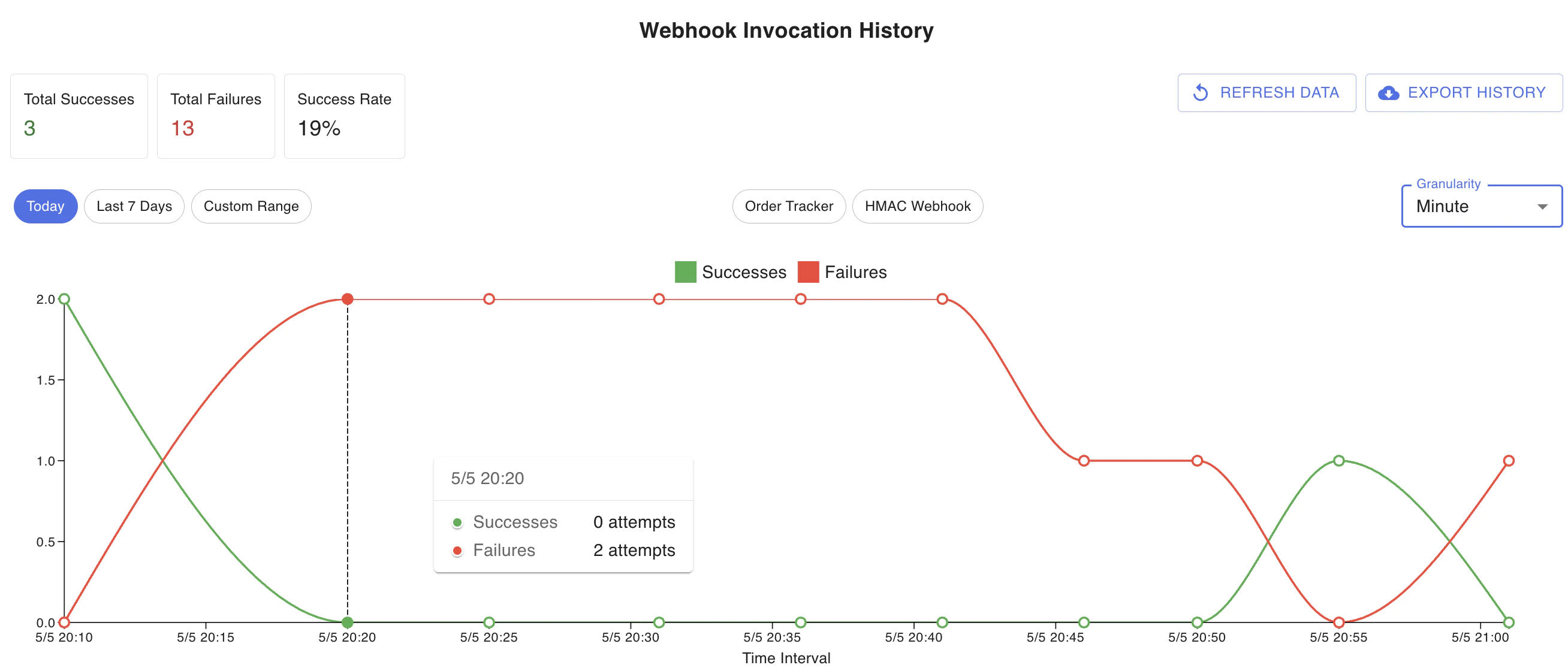
You can access detailed webhook delivery logs directly in the app.
* **View Attempt History**:\
Check all webhook deliveries, their status (success/failure), response codes, and detailed payloads.
* **Filter By Date & Granularity**:\
Quickly filter attempts by specific time windows and aggregation levels (minutes, hours, days).
 ***
## Exporting Webhook Attempts
You can **export webhook attempt logs** to Excel for further analysis and reporting.
This helps:
* Debug delivery issues.
* Share logs with your engineering or support teams.
* Perform in-depth analysis offline.
***
## Retry and Dead Letter Queue
ParcelTracer automatically retries webhook deliveries up to **5 times** if the initial attempt fails.
* Failed deliveries beyond 5 retries are placed in the **Dead Letter Queue (DLQ).**
* The DLQ is visible in the app under **Webhook Monitoring.**
***
## Exporting Webhook Attempts
You can **export webhook attempt logs** to Excel for further analysis and reporting.
This helps:
* Debug delivery issues.
* Share logs with your engineering or support teams.
* Perform in-depth analysis offline.
***
## Retry and Dead Letter Queue
ParcelTracer automatically retries webhook deliveries up to **5 times** if the initial attempt fails.
* Failed deliveries beyond 5 retries are placed in the **Dead Letter Queue (DLQ).**
* The DLQ is visible in the app under **Webhook Monitoring.**
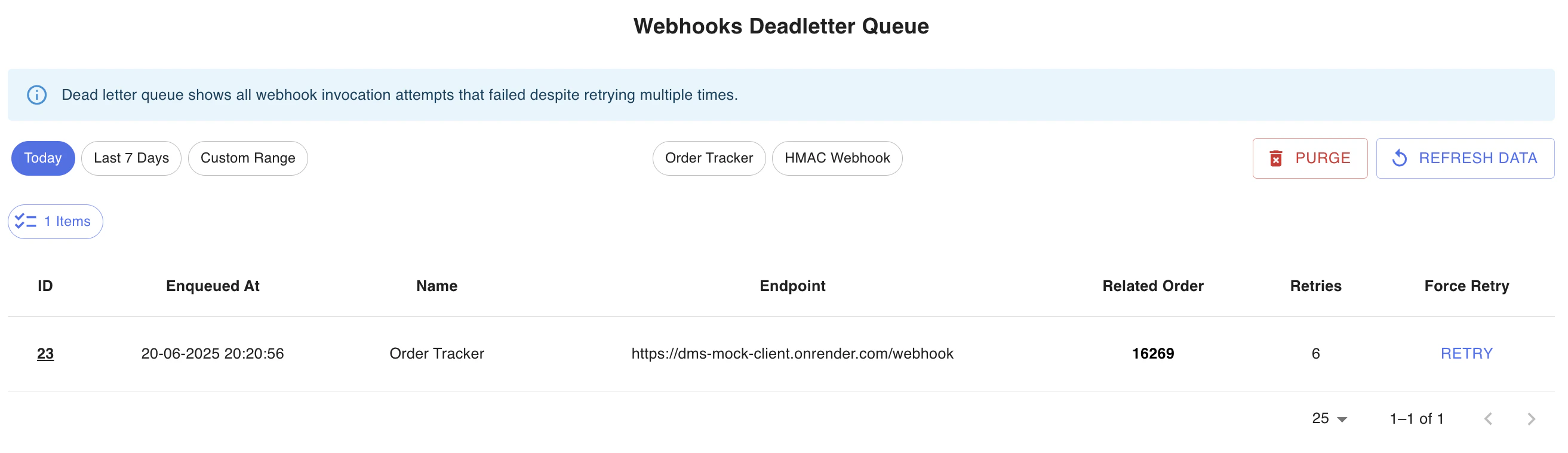 You can:
* 🗑️ Purge failed attempts.
* 🔄 Manually retry individual deliveries.
***
## Best Practices
* Monitor webhook failures regularly.
* Investigate dead letter queue items.
* Keep an eye on response times and failure rates.
***
## You're All Set!
You now know how to:
* Register webhooks.
* Secure them.
* Monitor and troubleshoot them.
You can:
* 🗑️ Purge failed attempts.
* 🔄 Manually retry individual deliveries.
***
## Best Practices
* Monitor webhook failures regularly.
* Investigate dead letter queue items.
* Keep an eye on response times and failure rates.
***
## You're All Set!
You now know how to:
* Register webhooks.
* Secure them.
* Monitor and troubleshoot them.